Verify Email Addresses in a List
Email Verification helps Mailix categorize email addresses in a list by deliverability. You can verify addresses that do not yet have results, view a summary of the results, and filter subscribers by each result group.
What is Email Verification?
Mailix sends email addresses to the verification service configured for the account or service plan. Results are returned in easy-to-monitor groups such as Deliverable, Undeliverable, Risky, and Unknown.
Email Verification and subscription confirmation are different processes:
- Email Verification evaluates whether an address is deliverable.
- Subscription confirmation asks recipients to confirm that they want to receive email.
Verification does not send a subscription-confirmation email and does not replace the subscriber's consent to receive email.
When should you verify email addresses?
You can use this feature when a list has many unverified addresses or before preparing to use the list as a Campaign audience.
A verification result is a signal that helps you manage recipients. It does not change subscription status and is not a guarantee that an email will be delivered.
Open Email Verification
Go to:
Audience → Lists → open a list → Email Verification
You can also open a list's action menu on the Lists page and then select Email verification if the interface displays this English label.
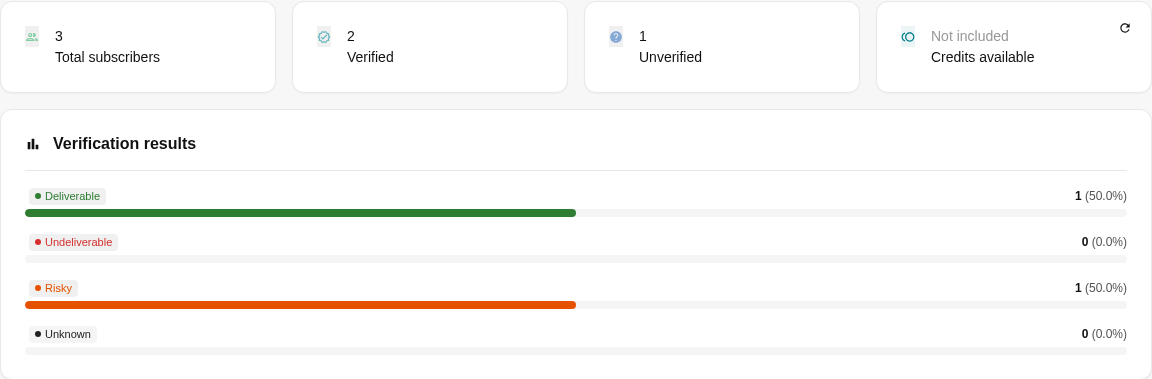
The verification page displays:
- The total number of subscribers.
- The number of subscribers with verification results.
- The number of unverified subscribers.
- Available verification Credits.
- Controls for starting, stopping, or resetting results.
- A breakdown of results by group.
 The feature works only when the account or service plan has a suitable verification server. If one is not available, the screen asks you to contact the administrator.
Verify email addresses without results
From the Email Verification page:
- Check the number of subscribers with Unverified status.
- If prompted on the screen, select a verification server.
- Select Start verification.
- Monitor the progress bar until the process is complete.
- Select OK, done to reload the page and view the new results.
Mailix processes subscribers without results across the entire list. This interface does not provide an option to verify only:
- Currently selected rows.
- The current results page.
- The current search results or filter.
- A specific Segment.
Addresses that already have results are skipped during this run.
Monitor Verification progress
While the process is running, the screen displays its status and completion percentage. Progress is updated periodically.
You can select Stop verification. Addresses processed before the process stops retain their results.
Note: Stopping Verification does not reset existing results.
When the process is complete, the screen displays Verification complete. If it fails, the screen displays Verification failed and may include an error message.
Verify one Subscriber
You can also check an individual subscriber:
Audience → Lists → open a list → Subscribers → open a subscriber
In the Email Verification area:
- Check the current status.
- Select a verification server if a selection list is available.
- Select Verify now.
After processing, the page displays the result and the time of the most recent check.
Depending on the service-plan configuration, verification for an entire list may be available while the button for verifying an individual subscriber does not appear. This occurs when the account does not have a separate verification server to select.
Understand Verification results
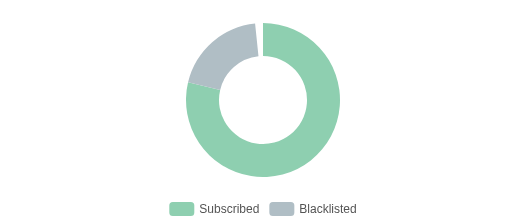
The verification page summarizes four result groups:
| Result | Meaning |
|---|---|
| Deliverable | The verification service considers the address able to receive email |
| Undeliverable | The verification service considers the address undeliverable |
| Risky | The address has signals that warrant caution before sending |
| Unknown | The verification service cannot yet reach a clear conclusion |
Unverified means that the address does not have a result. It is not a conclusion that the email address is valid or invalid.
On an individual subscriber's edit page, Risky and Unknown are displayed together as Risky / Unknown. The list overview still reports the two groups separately.
Filter Subscribers by Verification result
Open:
Audience → Lists → open a list → Subscribers
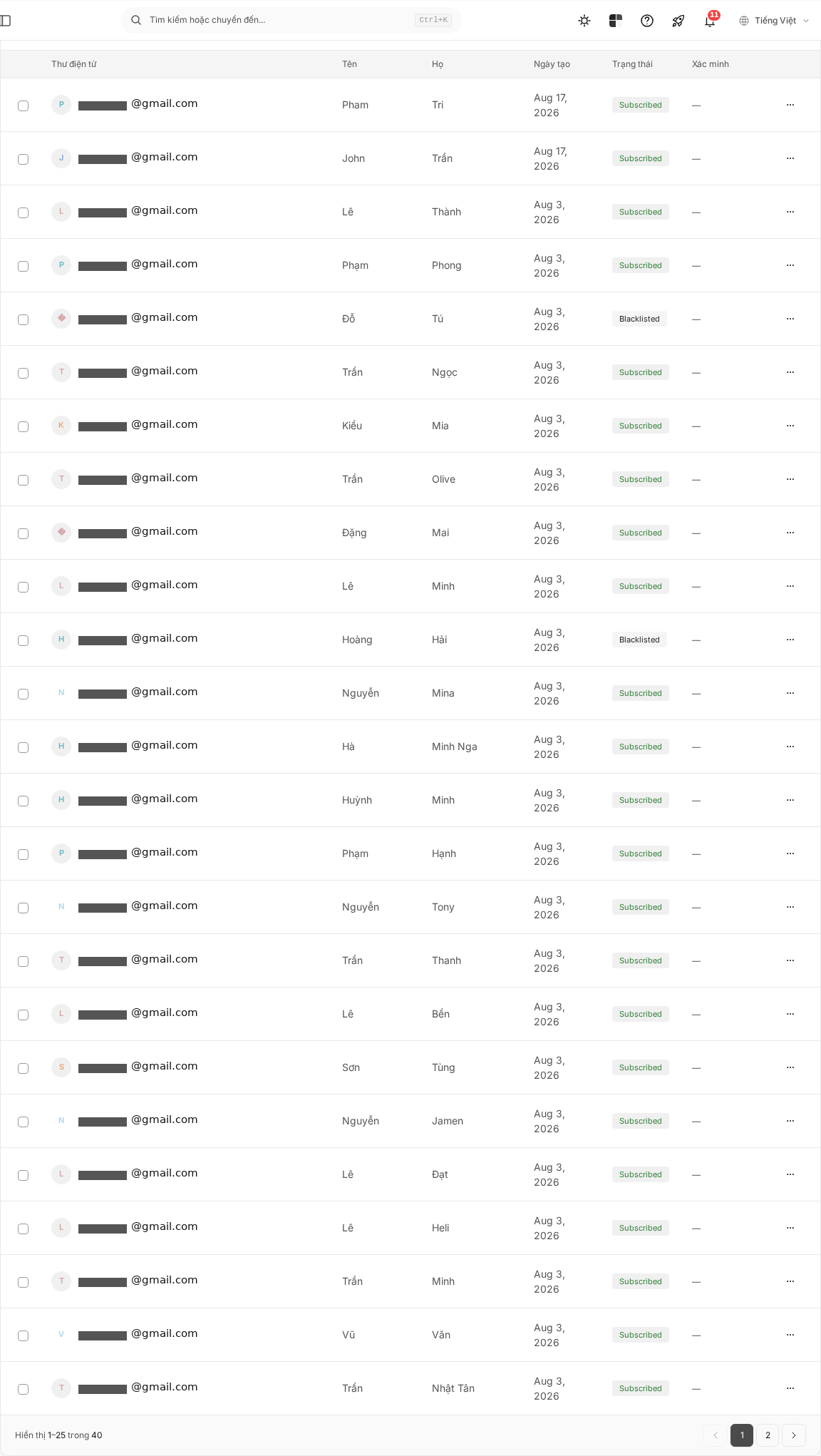
Use the All verifications filter to select:
- Deliverable.
- Risky.
- Undeliverable.
- Unknown.
- Unverified.
The verification filter can be used together with the search box and the subscriber status filter.
The verification result also appears as a separate column in the table. An unverified subscriber displays a dash in this column.
Verify email addresses again
Mailix includes only addresses without results in the next list verification run.
To verify an individual subscriber again:
- Open the subscriber edit page.
- Select Reset verification.
- Select Verify now when the button reappears.
To verify the entire list again, select Reset verification data on the verification page and then confirm.
Important: Resetting the list's verification data deletes all existing results and verification times. This action cannot be undone in the interface. Subscriber subscription status is not changed.
Verification Credits and limits
The verification page displays Available Credits in one of the following forms:
- The number of remaining Credits.
- Unlimited.
- Not included in the plan.
When the account has a finite limit, list verification uses Credits for the addresses processed. If the Credits or service limit are insufficient, the process may stop after part of the list has received results.
Check the Unverified count and remaining Credits before starting again. Depending on the service plan, the account area may provide an option to purchase more Credits.
Verification results and Subscriber status
Verification results are stored separately from subscriber status.
For example, a person can simultaneously:
- Have Subscribed status.
- Have an Undeliverable verification result.
Running or resetting Verification does not automatically subscribe, unsubscribe, or block subscribers.
Under the verified default sending configuration, Campaigns select subscribers with Deliverable results and Unverified subscribers. Undeliverable, Risky, and Unknown results may cause subscribers to be excluded from the recipient group.
Therefore, a Campaign's actual recipient count may differ from the total number of subscribers in the list.
Import and Email Verification
Importing does not automatically run Email Verification. Newly imported subscribers begin with Unverified status.
When an import updates information for an existing subscriber, the current verification result is retained. The import file does not have a customer-facing column for entering verification results.
The current subscriber export file also does not include a verification-result column.
Use results in a Segment
Segments can use Deliverable, Undeliverable, Risky, and Unknown results as conditions.
You should not use the Unverified option in a Segment condition as a stable workflow in the current version. If you need to find addresses without results, use the Unverified filter on the Subscribers page.
When Verification cannot run
Check the following situations:
- No verification server: Contact the administrator or check the configuration provided for the account.
- No unverified email addresses remain: Reset results only when you genuinely need to check them again.
- Insufficient Credits or service limit: Check the available Credits and the number of remaining email addresses.
- Process failed: Read the on-screen message, then check which addresses already have results before running the process again.
- Individual verification button not available: The account may not have a separate verification server, or you may not have permission to edit subscribers.
No complete history page or downloadable results report has been verified in this workflow. You can view the time of the latest check on each subscriber's page.
Frequently asked questions
Does Email Verification send a confirmation email to Subscribers?
No. Email Verification does not send a subscription-confirmation email in this workflow.
Is Email Verification the same as subscription confirmation?
No. Verification evaluates deliverability; subscription confirmation records that recipients have confirmed they want to receive email.
Can I verify multiple email addresses at once?
Yes. The Email Verification page processes all addresses in the list that do not have results. You cannot limit a run to selected rows or a Segment.
Does Verification change Subscriber status?
No. Verification results and subscriber status are managed separately.
Does Import automatically verify email addresses?
No. Newly imported subscribers have no result until you run Verification.
Why can I not see the feature or start Verification?
The feature depends on list access permissions, the service plan, and the configured verification server. If the screen reports that no server is available, contact the administrator.
Can I filter by Verification result?
Yes. The Subscribers page has filters for the four result groups and Unverified.
Does stopping Verification delete existing results?
No. Processed addresses retain their results. Only unprocessed addresses remain unverified.