Update billing information
The Billing page stores the address used on invoices and the default payment method when the account has a supported method.
Open the Billing page
Open Account settings → Billing.

Update the billing address
- Select Edit address.
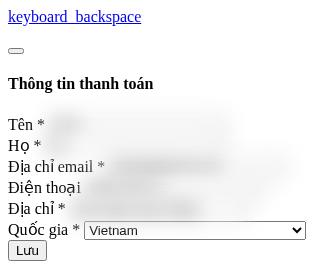
- Enter the name, email, phone number, address, and country.
- If the invoice needs business details, enter the company name, tax ID, and registered address.
- Select Save.
You can copy data from Contact information. This copies it at the time of editing; it is not continuous synchronization.
 Entering a tax ID does not automatically verify the number or guarantee that the issued document is a VAT invoice.
Payment method
When a gateway supports saving a method, the page displays the default method and the date it was added. Full card details and the security code are not displayed here.
Adding a new method takes place in the payment flow for a plan or credits; this page does not have a standalone card-entry form.
Delete a payment method
Important: Deleting the method in use may prevent a plan or credit purchase from renewing automatically. Prepare a replacement method before deleting it.
- Select Delete payment method.
- Read the warning and confirm.
Mailix does not display an action for selecting a different default method on this page. If you need to replace it, use the provided payment flow.