Set up a Sending Domain
A Sending Domain helps Mailix authenticate the domain used in sender addresses. This feature is different from verifying a specific sender address.
Add a Sending Domain
- Go to Sending → Sending Domains.
- Select Add domain.
- Enter the bare domain, such as
example.com. Do not enter a protocol or path. - Select Add domain to save it.
The domain cannot be changed after creation. If you enter it incorrectly, you must delete it and add it again.
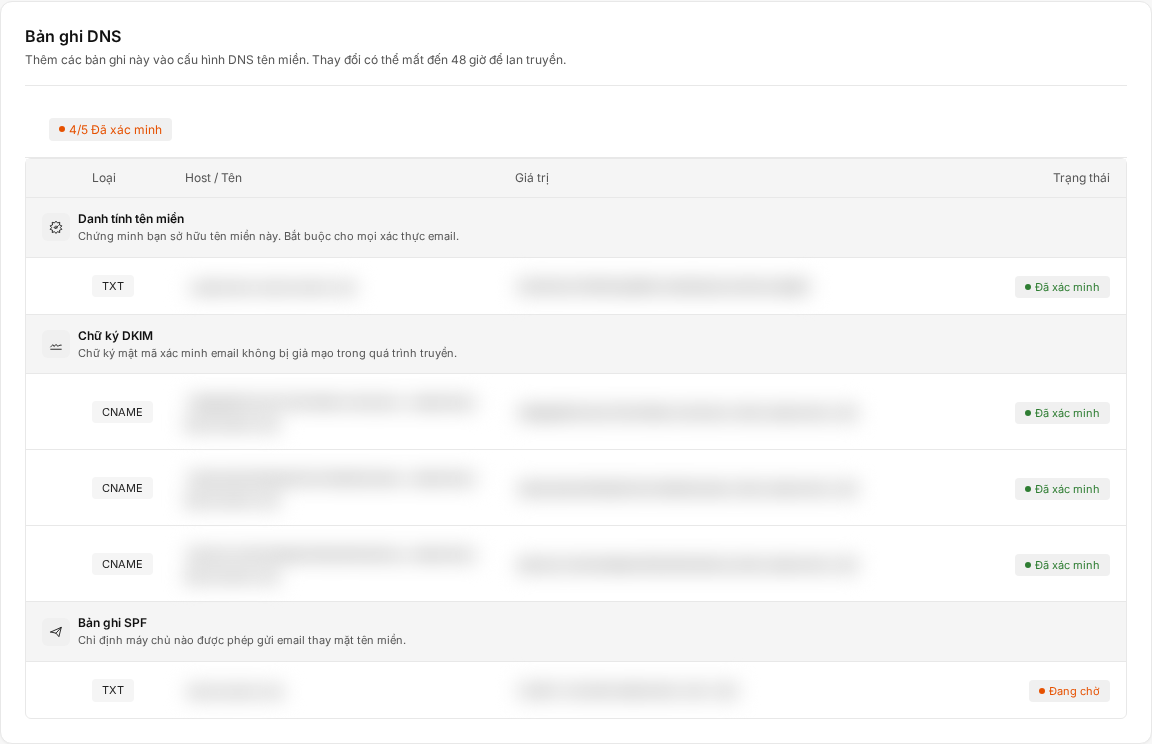
Configure DNS records
After creation, the domain page displays the exact records you need to add at your DNS provider. The list may include:
- An ownership-verification record.
- DKIM.
- SPF.
- DMARC, when the domain configuration provides this record.
Copy the displayed Type, Host/Name, and Value exactly. Do not use values taken from another domain or account.

Verify the domain
After saving the records at your DNS provider:
- Return to the domain details page.
- Select Verify DNS records.
- Check the status of each record.
The domain changes to Verified only when the required records have been confirmed. If it remains Pending, recheck the values and try verification after the DNS changes have propagated.

Relationship to sending servers and senders
Some accounts use DKIM managed by Mailix; others use verification managed by the sending service. Therefore, the number and type of records may differ.
A verified domain does not automatically create a sender identity. If your plan requires a Verified sender, you still need to add a specific address.
Delete a Sending Domain
Important: Deleting a Sending Domain cannot be undone in the interface. Campaigns using an identity on that domain may no longer pass pre-send checks.
In the Sending Domains list, open the domain menu, select Delete, and confirm. To use it again, you must add the domain and reverify the provided records.
When you cannot add or verify a domain
- The feature or number of domains may be limited by your plan.
- A domain that is already registered cannot be added again.
- The domain must use the correct format and must not contain a protocol or path.
- DNS records must exactly match the content displayed by Mailix.